



Every day brings a few things worth keeping.

An article, a photo, a song, a line that just came to you. Mimi Memo keeps them, sorts them into sets, and finds them the moment you need them.

Scroll down and spend a day with Mimi
A day with Mimi

Walk through an ordinary day.

Each hour below is a real moment of keeping in the app — from morning until bedtime.

Morning · on the bus 07:15

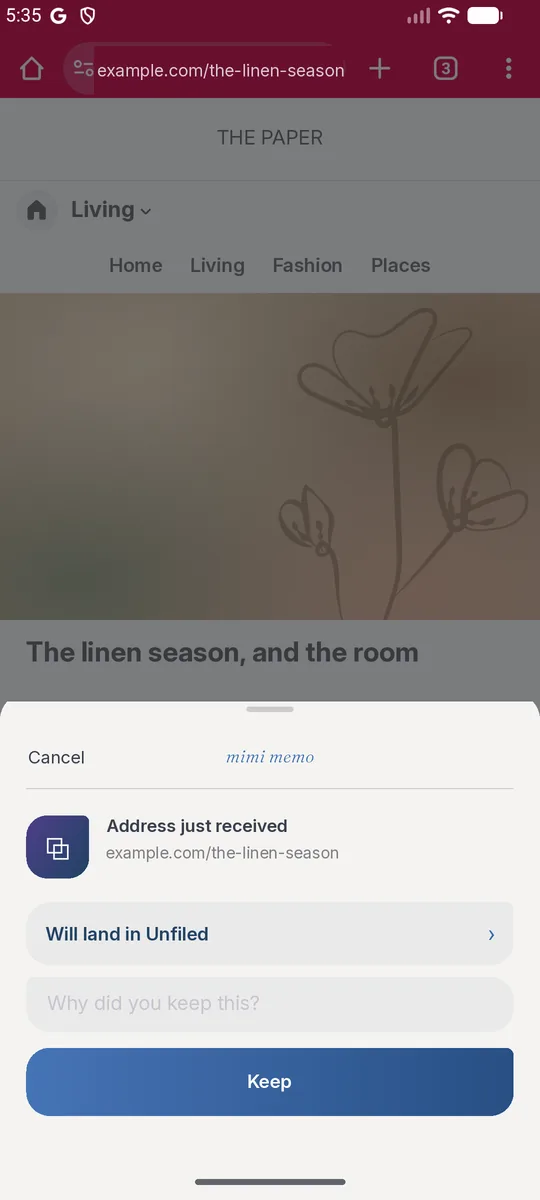
Spotted a good read in the paper.

Tap Share and choose Mimi Memo. A small tray slides up; keep it and you are straight back to reading — no need to open the app.

Reading an article in the browser, tapping Share and choosing Mimi Memo: a small tray slides up to keep it
Kept in Unfiled
Morning · at work 09:40

An idea too good to forget.

Open Mimi and write a line. Rather not type? Say it, and Mimi keeps your voice just as it is. Link, text, voice, photo — four ways to keep, use whichever is handy.

Noon · lunch break 12:40

Lunch looks too good not to snap.

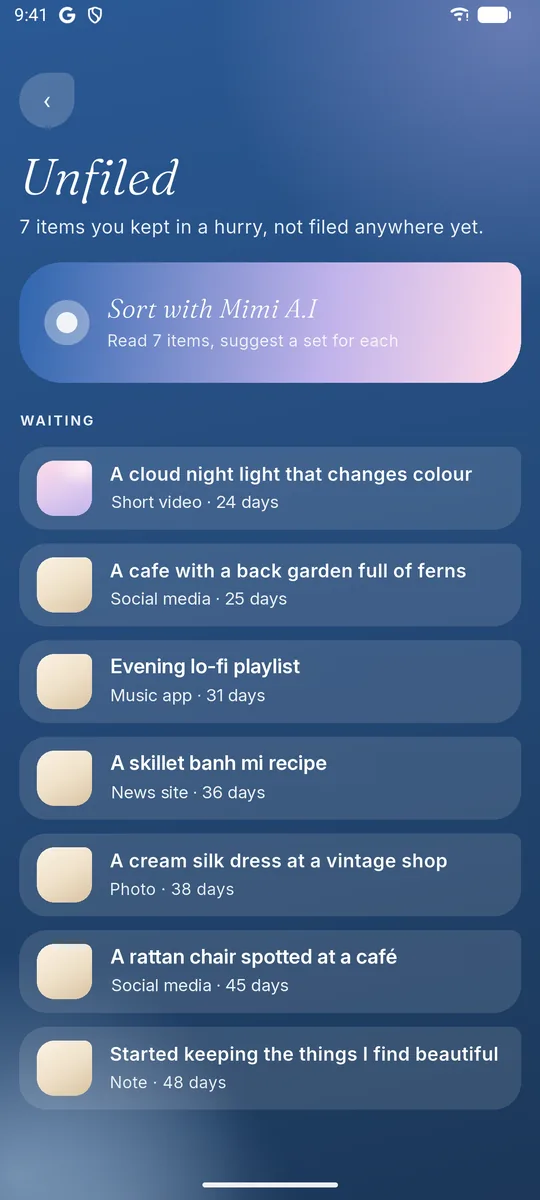
The photo goes into Mimi. Not sorted yet? It waits in Unfiled — nothing is lost, and you can sort it later. Mimi suggests the set that fits, working it out right on your phone.

The Unfiled screen: Sort with Mimi A.I reads the waiting items and suggests a set for each
Unfiled
Afternoon · scrolling 15:20

You spot flowers you want for the balcony.

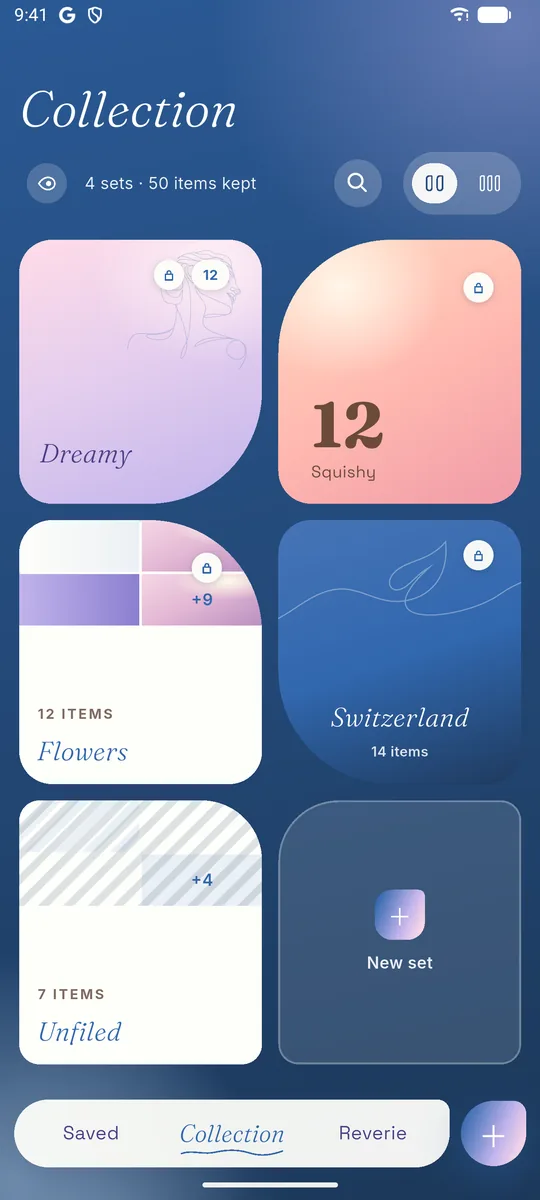
File them under Flowers. Every set has its own name and its own cover — open it and everything you gathered is right there.

The Collection screen: sets such as Dreamy, Squishy, Flowers and Switzerland, each with its own cover and item count
Flowers · 12 items
The afternoon fades
Sunset · on the way home 18:05

A friend texts: can I add to your set?

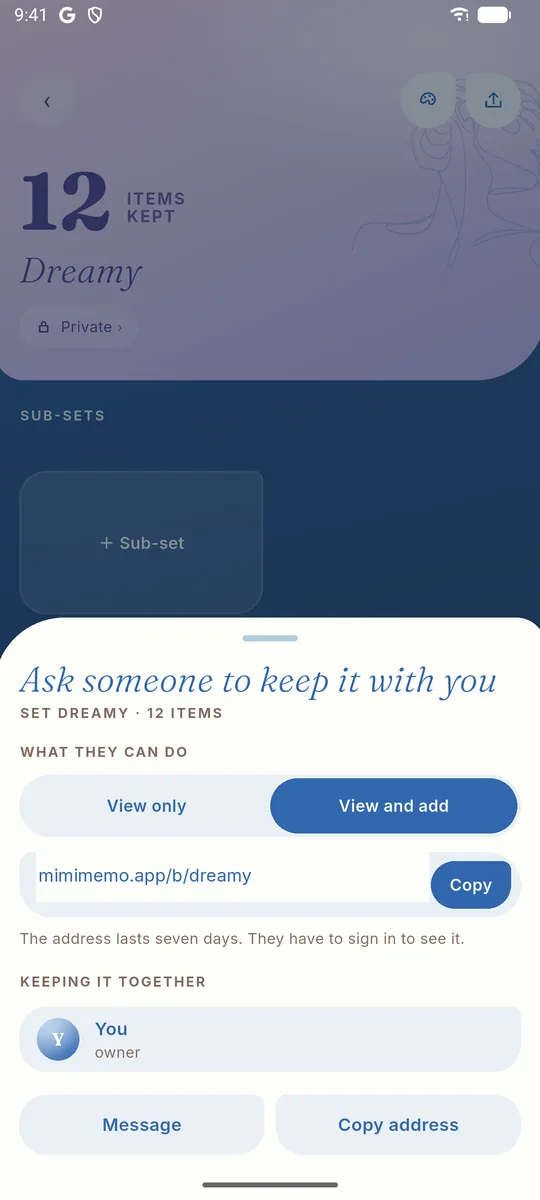
Invite them to keep Dreamy with you. Give them View only or View and add; stop sharing any time, and what they added stays theirs.

The Ask someone to keep it with you sheet: choose View only or View and add, then copy the invite address
Dusk settles in
Evening · at home 20:30

Home again, laptop open.

Go to mimimemo.app/app and sign in with the same account — what you kept on your phone is already there. Offline, you can still keep things; they sync once you are back online.

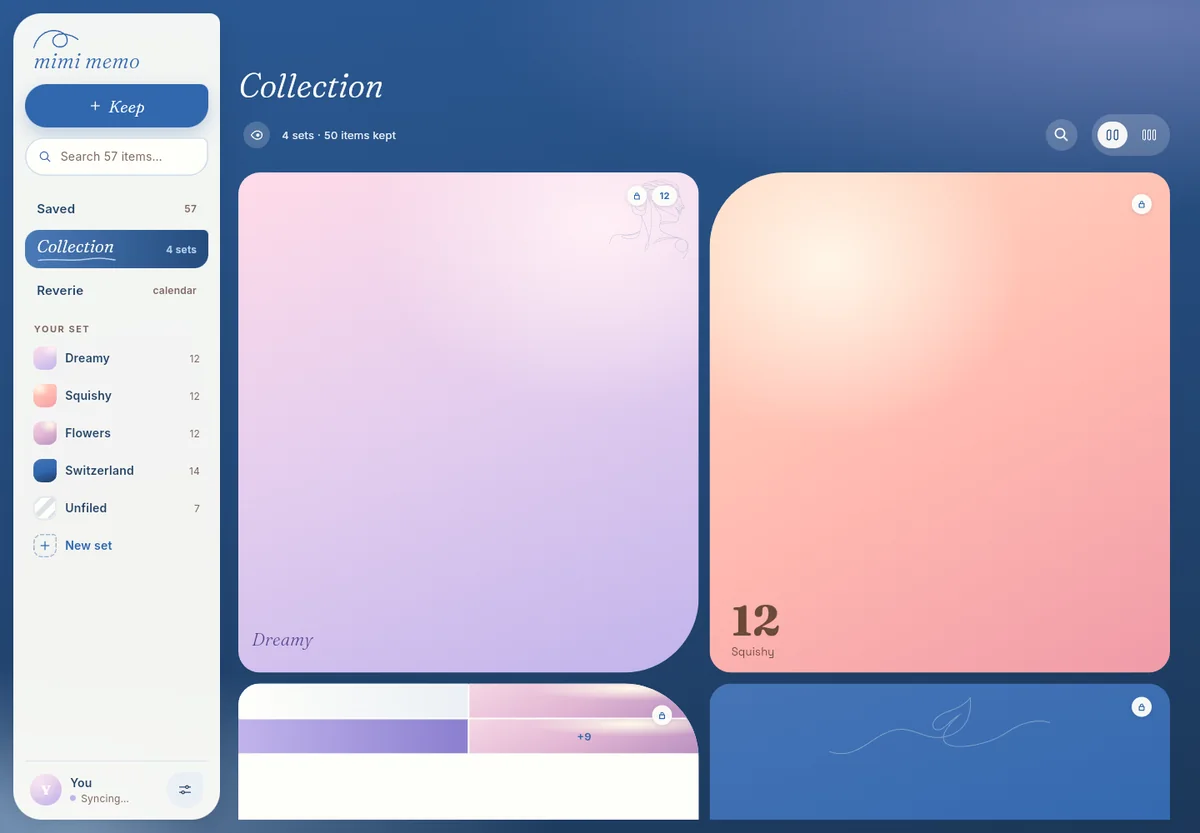
Mimi on a computer: the sidebar holds Saved, Collection, Reverie and your sets; the collection grid fills the rest
Late night · half-remembering 22:10

You vaguely remember keeping a recipe.

Type the few words you remember and there it is. Mimi searches every note, link and photo you have kept.

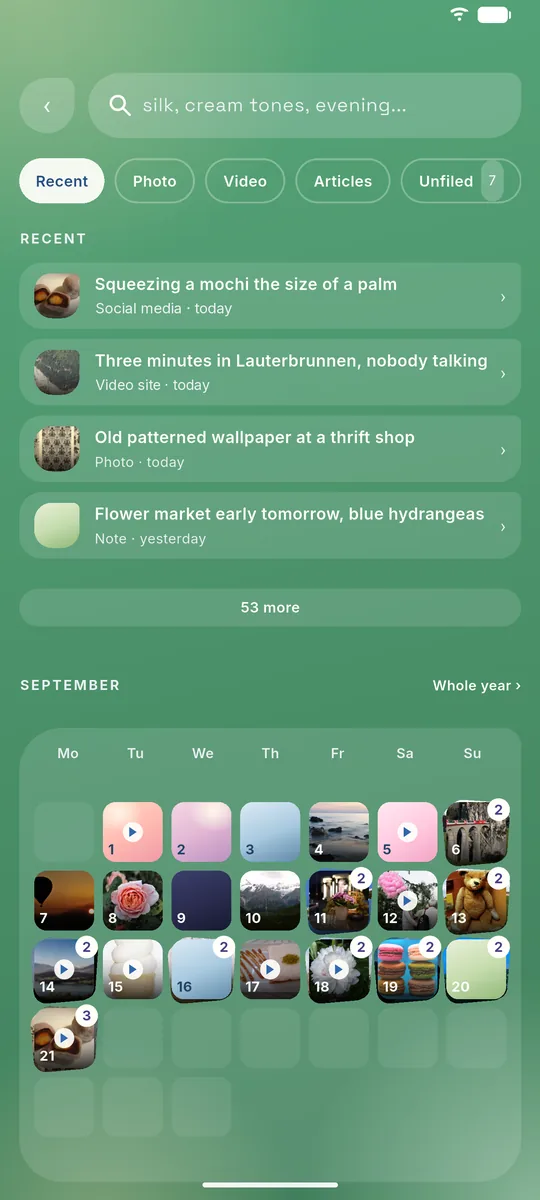
The search screen: a search box, filters for Recent, Photo, Video and Articles, and the items kept most recently
braised fish
Night · Reverie 23:00

Night falls, and Mimi tells you about your day.

Reverie looks back on today: what time you tend to keep things, and where most of them come from. It also helps you see what you have been looking for.

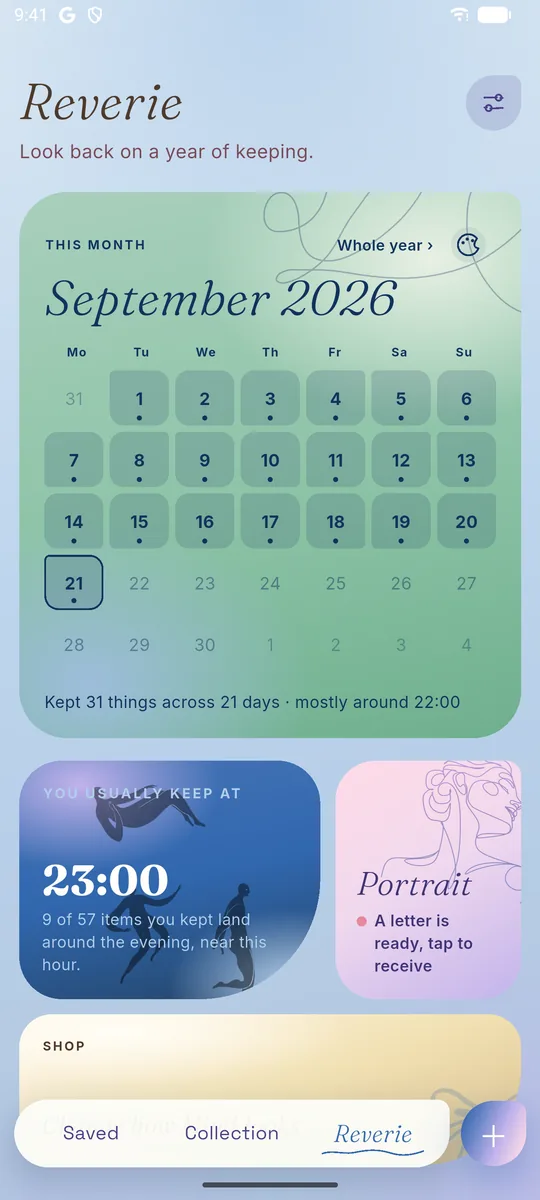
The Reverie screen: this month on a calendar, the hour you usually keep at, and your portrait
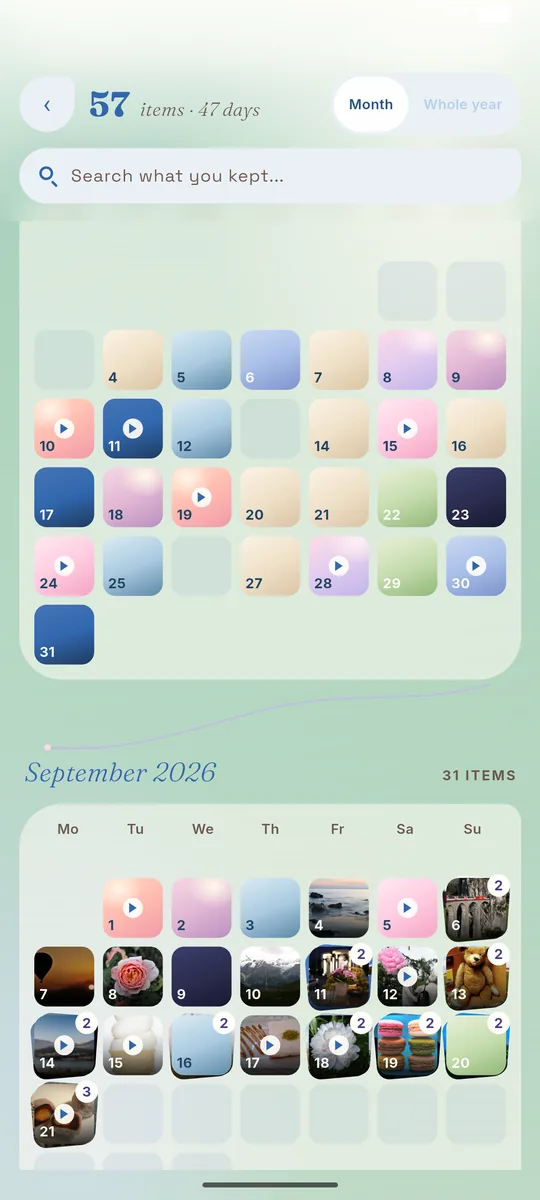
The September calendar: each day is a small tile showing what you kept that day
You usually keep at23:00

4 of 14 items you kept land around the evening, near this hour.

example
Days later · Portrait

Discover yourself through everything you save

  • A letter every 20 things
  • One at the end of each month
  • One at the end of the year
Your portrait The one who hunts down pink things evening 13photos 11Recipes 7 Your character is not fixed. What you save reflects who you are, one season of life at a time.
Example letter

Dear you,

The one who cooks it all in their head first

Of the last twenty things, seven were food: braised fish, a skillet banh mi, a bowl of pho snapped in a hurry at noon. You keep good food the way you keep an address — so you can go back.

You keep the most in the evening, once the work is done. By day you keep in a hurry; at night you open them up and take a proper look.

Lately

The last three are words you wrote yourself, with no link at all: a café name and two short voice notes.

If I had to guess: you are saving up for something of your own — a corner of a kitchen, or a little café called Clouds on the Roof.

— Mimi, from 20 things · 24 Sep 2026

Letter 2 · 6 things to go

Then one day you open it and find yourself inside.

Keep a little each day, and Mimi keeps the whole year for you.
06:30 · the next morning

Tomorrow brings a few more things worth keeping.

Free for 60 items and 10 sets, with no expiry. On iPhone, Android and your computer.

Pricing

Free is plenty to start. Need more room? There is Mimi Gold.

Free

0 VNDyours to keep, no expiry
  • 60 items and 10 sets
  • Eight palettes, dark and light mode
  • Shared sets, the calendar, Reverie, the web version

At the limit, only adding new things stops — everything you kept stays readable, editable and shareable, and nothing is deleted.

Mimi Gold

390k VNDa year
  • No limit: keep as many items and make as many sets as you like
  • All 45 palettes unlocked
  • Paying yearly costs two months less

Renews automatically; turn it off any time in your App Store or Google Play settings. Buy it in the app on your phone; the plan follows you everywhere you sign in, including on a computer.

Questions people often ask

What happens after 60 items?

Only adding new things stops. Everything you kept stays readable, editable and shareable, and nothing is deleted. Delete a few old ones to make room, or move to Mimi Gold to lift the limit.

Can I use it on a computer?

Yes. Open mimimemo.app/app and sign in with Google or Apple, just as on your phone, and your own collection is there. On a computer you cannot buy a plan or record voice yet — do those two on your phone.

Does it work offline?

Keeping and sorting need no connection. Once you are back online, Mimi syncs to your other devices where you are signed in.

Does Mimi read or sell my data?

No. Mimi never posts for you, never reads your messages anywhere else, and never sells data to anyone. A private set is seen only by you, until you change that yourself.

How do I turn off Mimi Gold renewal?

Mimi Gold renews monthly or yearly. Turn it off any time in the App Store or Google Play settings on the device you bought it with.

Which languages does it come in?

English and Vietnamese. Switch in Settings; the first time you open Mimi, it follows the language of your phone.